A practical guide comparing cloud-managed security cameras to traditional NVR/DVR systems. Learn why businesses are migrating to cloud and when on-premise still makes sense.

Choosing on-site IT support starts with matching the provider to your location, systems, response needs, and budget.
On-site IT services bring a technician or project team to your workplace rather than relying entirely on remote access. The work may range from troubleshooting an individual device to planning network infrastructure for several locations. The right scope depends on the organization, its technology environment, and whether support is occasional or ongoing. A careful assessment prevents a simple repair from turning into an unnecessarily broad project.
Some problems are difficult to diagnose through a phone call or remote session. A technician can inspect cabling, power connections, hardware condition, peripherals, and the physical environment while speaking with the people affected by the issue. This is especially useful when a fault appears intermittent or when several small symptoms may have one underlying cause.
A good visit should end with a clear explanation of what was found, what was changed, and what still needs attention. Ask whether the provider documents the work, identifies recurring causes, and explains any recommended follow-up rather than simply restoring service for the moment.
On-site network work can include examining equipment placement, cabling, wireless coverage, connections, and the relationship between local devices and network services. Physical inspection matters when users report dead zones, unstable connections, or performance that changes from one room to another.
For organizations with more than one location, consistency becomes just as important as the individual repair. Harris Technology Services provides physical security, IT, network infrastructure, and managed technology solutions for single-site and multi-site organizations, with cloud-managed or on-premise systems supported end to end.
A provider may support workstations, servers, printers, phones, access points, and other connected equipment, depending on the agreement. On-site access makes it easier to verify how devices are installed and used, which can reveal issues that are invisible in a remote session.
Before scheduling a visit, clarify which device types are covered and whether the technician will troubleshoot only the reported equipment or review related systems. That distinction helps avoid surprises when a computer problem turns out to involve a switch, shared printer, user account, or other dependency.
Installations and upgrades require more than placing new equipment on a desk. The provider may need to coordinate delivery, mounting, cabling, configuration, testing, user communication, and removal of retired equipment. Planning these steps together reduces disruption and leaves a cleaner record of the new environment.
For a smaller installation, a local technician may be enough. A growing or multi-site organization may instead need one accountable partner that can assess requirements, integrate systems, and manage the solution as it changes.
Remote support is convenient, but it cannot address every technology problem. On-site service is often the better choice when equipment must be inspected, installed, moved, replaced, or tested in its real operating environment. It can also make sense when several teams, rooms, or locations are affected. The decision should be based on the work required, not simply on whether a provider advertises local availability.
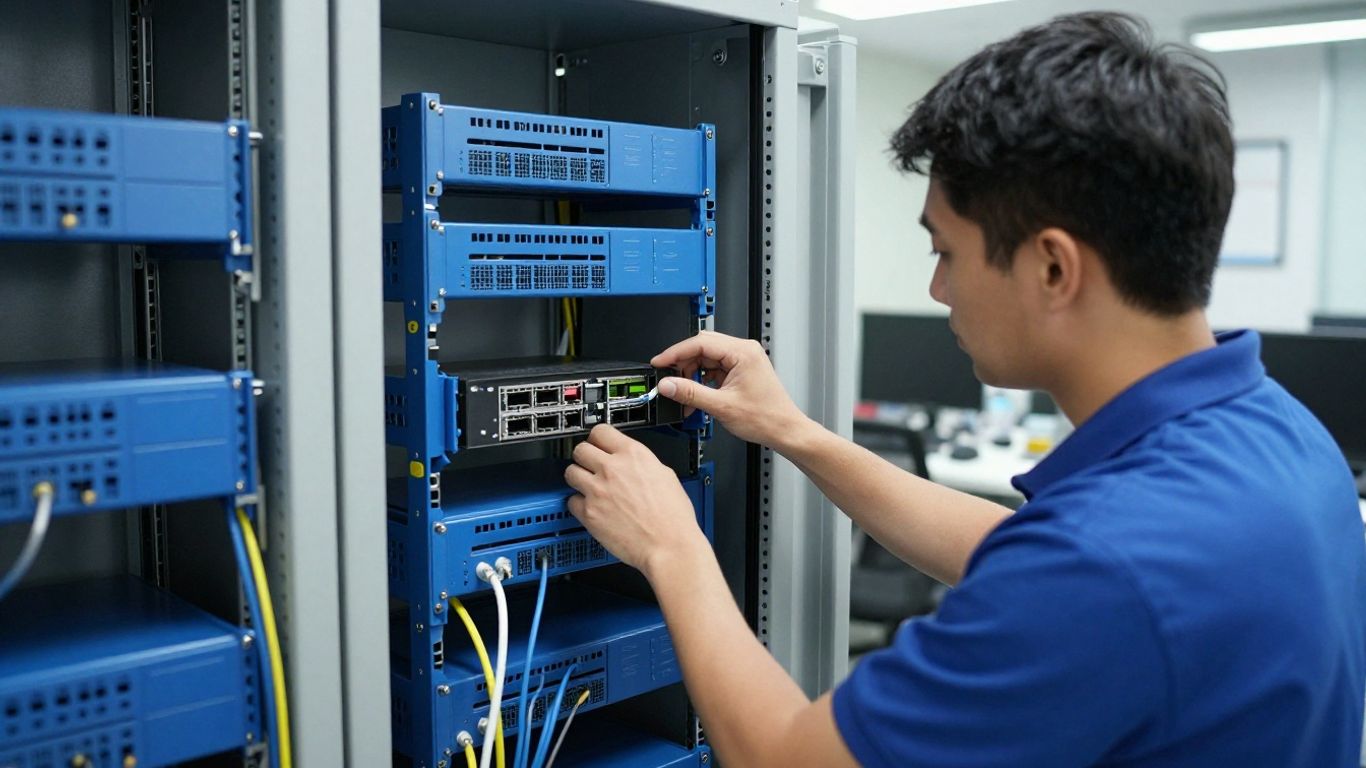
A technician may need to be physically present when a device will not power on, a cable or port may be faulty, wireless coverage is inconsistent, or equipment cannot be reached remotely. Physical access can also help when a user cannot accurately describe the problem or when multiple connected devices are behaving differently.
The goal is not to replace remote support altogether. It is to use the right channel for the job, combining remote diagnosis with an on-site visit when the physical environment is part of the problem.
An office move can involve internet service, network equipment, workstations, phones, printers, meeting-room technology, and security-related infrastructure. Treating each item as a separate task makes missed dependencies more likely. A provider should help establish an inventory, sequence the work, and test critical services before employees arrive.
Ask how the provider will handle labeling, equipment transport, cabling, configuration, and post-move verification. A written plan also gives facilities and operations teams a shared view of responsibilities.
Regular visits can be useful when an organization wants a technician to inspect equipment, review recurring faults, verify configurations, or support planned changes. The frequency should follow the environment rather than an arbitrary calendar. A small office may need occasional visits, while a distributed organization may require coordinated service across several sites.
The most useful maintenance records show what was checked, what changed, and which risks remain. That history gives decision-makers better information when they plan replacements or budget for infrastructure work.
A critical outage calls for clarity before speed alone. Confirm who can authorize emergency work, what systems qualify as critical, how the provider communicates status, and when escalation occurs. If the outage involves safety, security, or sensitive data, those concerns should be part of the response plan from the start.
During an urgent visit, keep the working group small and preserve a timeline of symptoms, actions, and decisions. This helps the provider restore service while giving the organization useful information for preventing a repeat incident.
Searching for “on-site it services near me” is a useful starting point, but proximity is only one part of the decision. A provider may be nearby yet lack the right experience, coverage, or response model for your organization. Shortlist companies that explain their service area, technical scope, and working process clearly. Then test those claims with specific questions about your location and systems.
Ask whether the provider serves your exact address, nearby branches, and any future locations. Clarify normal response windows, emergency availability, travel charges, and whether the first response is remote or in person. These details matter more than a general statement that the company serves your region.
If you are comparing local options, computer help at your location illustrates the kind of distinction to check: service may be designed for a particular community, client group, and appointment model rather than for every organization everywhere. Treat the linked service as an example of why coverage details deserve direct confirmation.
Residential support often focuses on an individual’s computer, home network, or device setup. Business support may need to account for users, permissions, documented changes, uptime expectations, network dependencies, data protection, and multiple locations. Neither model is automatically better; the important question is whether it fits the environment being supported.
A business should ask who owns the relationship, how work is documented, and whether the provider can coordinate with internal IT, facilities, and leadership. Those answers reveal whether the service is designed for organizational operations rather than one-off troubleshooting.
Certifications can be useful evidence, but they should be considered alongside relevant experience. Ask whether the team has worked with your type of network, industry requirements, cloud and on-premise systems, or multi-site operations. You should also learn which tasks are handled directly and which are referred to another party.
Harris Technology Services takes an integrated approach across physical security, IT, network infrastructure, and managed technology. That breadth may be relevant when a project crosses traditional department boundaries, but the provider should still explain how its approach would be tailored to your actual scale and priorities.
Reviews can reveal patterns in communication, punctuality, documentation, and follow-through, but they rarely describe every condition of a service agreement. Look for references from organizations with a similar number of users, locations, and technical complexity. Ask those references how the provider handled an unexpected issue, a change in scope, or a period of growth.
Pay attention to whether references describe a repeatable working relationship rather than one successful repair. Consistent execution is generally more valuable than an isolated story about a fast fix.
Price is visible, but it does not tell you what happens after the technician arrives. Compare the service model, scope, response commitments, security controls, and documentation alongside the fee. A useful proposal should make assumptions explicit and identify what is excluded. That gives you a more reliable basis for deciding between occasional service and an ongoing relationship.
Hourly support can suit a defined repair, a small office with infrequent needs, or a project with a clear endpoint. A managed service plan may be more appropriate when the organization wants predictable management, recurring oversight, and a continuing point of accountability. The better option depends on how often support is needed and how costly downtime or delayed maintenance would be.
Ask what activities are proactive, what is billed separately, and how changes in the number of users or locations affect the plan. A low hourly rate may not be economical if travel, diagnosis, or follow-up work is routinely added.
A proposal should state whether it covers travel, after-hours work, equipment installation, documentation, follow-up visits, and coordination with other vendors. Minimum charges can be reasonable, but they should be disclosed before work begins. Also ask whether unused plan hours expire or can be applied to approved projects.
The following comparison can help organize the conversation before you request final pricing:
| Cost or scope area | Question to ask | Why it matters |
|---|---|---|
| Labor | Is work billed hourly, by project, or through a plan? | Clarifies how unpredictable tasks affect the budget. |
| Travel | Are mileage, travel time, or regional fees charged? | Reveals the true cost of an on-site visit. |
| After-hours work | What qualifies as emergency or outside normal hours? | Shows how urgent support will be priced. |
| Follow-up | Are testing, documentation, and return visits included? | Prevents a repair from ending before the issue is verified. |
Use the answers to compare like with like. A proposal that costs more may include planning, documentation, and follow-up that another quote leaves to your team.
A service-level agreement should describe response targets, communication methods, escalation, service hours, and any exclusions. A response guarantee is not the same as a resolution guarantee, so ask what each term means in practice. For multi-site organizations, confirm whether the same commitments apply at every location.
The agreement should also explain how priorities are assigned. A failed conference-room display, a single slow laptop, and a network outage may all be urgent in different ways, but they should not be handled without an agreed framework.
On-site technicians may encounter credentials, business records, network diagrams, or sensitive equipment. Ask how access is approved, how credentials are handled, whether work is logged, and what happens to copies of data or configuration files. Contract language should also address confidentiality and responsibility for subcontractors.
Confirm appropriate insurance coverage and clarify responsibility for accidental damage, data loss, and unauthorized access. These questions are practical safeguards, not signs of distrust; they establish expectations before someone is working inside your environment.

Local providers often begin with a conversation, an inventory, and an inspection of the affected environment. The strongest troubleshooting process separates symptoms from causes and records the steps taken. That makes the immediate repair more useful and gives the organization a basis for future decisions. Clear ownership reduces delays when an issue crosses devices, networks, applications, or sites.
Slow performance can come from hardware age, software, connectivity, storage, configuration, or a service outside the local network. A technician should identify when the problem occurs, how many users are affected, and whether the issue follows a device or a location. On-site inspection can then connect reported symptoms with physical and technical conditions.
Ask for findings in plain language. A useful report distinguishes the observed symptom, likely cause, corrective action, and recommendation for preventing recurrence.
Security work may involve examining affected devices, isolating a problem, reviewing access, and coordinating remediation. The exact response depends on the incident and the organization’s policies. A provider should avoid making assumptions about what can be removed or restored until the situation is assessed.
Security also includes routine decisions about permissions, updates, network design, and user practices. A local visit can support those decisions, but it should fit within a broader security process rather than operate as an isolated cleanup.
Cloud applications still depend on local devices, identity, connectivity, browsers, networks, and user configuration. On-site support can help determine whether a problem is limited to one workstation or reflects a wider access or connectivity issue. It can also help coordinate changes with application administrators and internal stakeholders.
Before work begins, identify who owns the application relationship and what access the technician is authorized to use. That avoids confusion when the provider can diagnose a local condition but cannot change a vendor-controlled service.
A short technical walkthrough can be useful preparation, but it should supplement—not replace—the provider’s assessment of your environment. The most relevant video is one that matches the type of system, organization, and issue involved.
Backup and recovery should be discussed before an incident, not only after a device fails. Ask what is backed up, how often, where copies are stored, how recovery is tested, and who can authorize restoration. The answers should reflect the importance of the data and the time the organization can tolerate without it.
On-site support may help with affected equipment and recovery steps, but no provider should promise a result without understanding the backup condition. Request clear limits, dependencies, and a record of any recovery test or change.
Preparation gives the technician a better starting point and helps your organization control the visit. Gather facts without trying to diagnose the issue yourself. Identify the people and systems affected, then decide what must be restored first. This is especially valuable when the provider is traveling to a site or working within a limited maintenance window.
Write down when the issue began, what changed beforehand, how often it occurs, and which users or devices are affected. Include error messages exactly as they appear, along with photographs of relevant equipment or connections when appropriate. A simple timeline can save time during the first conversation.
Avoid grouping unrelated symptoms under one label. Separating a slow computer from an intermittent wireless issue, for example, gives the technician a more useful starting point and reduces the chance that one problem will hide another.
Confirm which accounts, permissions, network details, vendor contacts, and system records may be needed. Do not send passwords through an unsecured channel or share more access than the technician requires. Instead, use the organization’s approved credential process and identify an authorized person who can grant access during the visit.
Also gather device lists, network diagrams, warranties, service agreements, and recent change records if they are available. Missing information does not make a visit impossible, but it can turn a straightforward task into a longer investigation.
Decide which systems are essential, which users can pause work, and what services must remain available. For a multi-site organization, rank locations as well as systems. This allows the provider to sequence work around operational needs rather than treating every task as equally urgent.
A practical priority list might include:
Share the list before the visit and revisit it if the technician finds a different root cause. Priorities are most helpful when they guide decisions without preventing sensible troubleshooting.
Before arrival, confirm the address, date, access arrangements, expected attendees, scope, estimate, and success criteria. Ask what happens if the technician finds work outside the original request. You should also know whether a written report, configuration record, training, or follow-up visit is included.
Harris Technology Services can be considered when an organization needs integrated physical security, IT, network infrastructure, and managed technology addressed through a tailored assessment. As with any provider, confirm that the proposed scope, management model, and coverage match your locations and operational requirements.
The best on-site IT services near me search ends with more than a nearby phone number. Compare technical fit, service coverage, response expectations, security practices, and the provider’s ability to work within your organization’s priorities. A well-prepared visit can resolve an immediate problem while creating a clearer path for dependable, scalable technology management.
On-site IT services involve a technician or support team working at your home, office, or other location. They may include troubleshooting, installations, network work, device support, maintenance, and recovery assistance.
On-site support is useful when equipment, cabling, power, wireless coverage, physical access, or installation work is part of the problem. It may also be appropriate when several systems or locations need coordinated attention.
Response times vary by location, service hours, priority level, agreement, and technician availability. Ask for normal and emergency targets in writing before hiring a provider.
Hourly support may fit occasional, clearly defined work. A managed plan can be useful when the business needs recurring oversight, predictable management, and an ongoing support relationship.
Confirm the scope, price, travel or minimum charges, access requirements, expected downtime, documentation, and follow-up process. Prepare symptoms, affected devices, relevant records, and an authorized contact.
Compare service area, technical experience, response commitments, included work, security practices, insurance, references, and communication processes. Evaluate the full service model rather than choosing only by hourly rate.
It can, provided the provider has suitable geographic coverage, coordination processes, and experience with multi-site environments. Confirm whether pricing, response commitments, and documentation are consistent across locations.
Connect with us to explore our scalable solutions tailored to your unique needs and receive a personalized free quote.