A practical guide comparing cloud-managed security cameras to traditional NVR/DVR systems. Learn why businesses are migrating to cloud and when on-premise still makes sense.

An MSP in IT provides ongoing management, monitoring, and support for an organization’s technology environment. The right arrangement can make costs easier to plan, improve response times, and give internal teams access to skills they do not need to maintain in-house.
An MSP in IT is a third-party provider that manages defined technology responsibilities for another organization. The work may include daily monitoring, maintenance, user support, security administration, and infrastructure management. Rather than treating IT as a series of isolated emergencies, the MSP operates against an agreed service model. Organizations can use an MSP for part of their environment or for a broader set of technology operations.
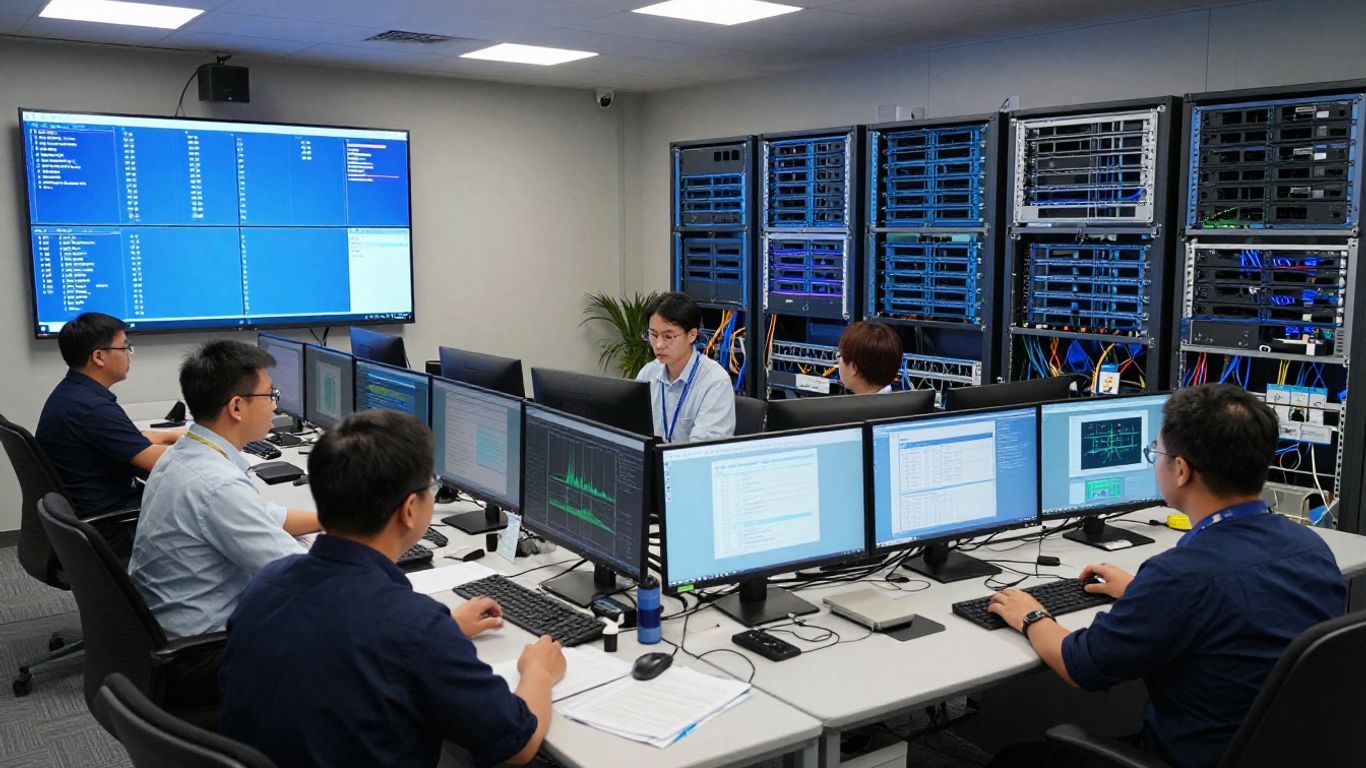
A managed service provider takes responsibility for specified IT functions under a contract, usually with service expectations documented in a service-level agreement. Those functions might cover networks, servers, end-user systems, security tools, cloud environments, or data protection. The provider does not simply sell a product; it performs recurring management and support work over time. A managed services provider guide can help clarify how this outsourced model differs from one-time consulting or project delivery.
For a business, the practical question is not whether every technology task should be outsourced. It is which responsibilities require consistent attention and which can be handled effectively by an internal team. The answer depends on the organization’s size, locations, compliance needs, operating hours, and tolerance for downtime.
Traditional IT support often begins when a user submits a ticket or a system stops working. An MSP may still provide that reactive support, but the relationship normally includes scheduled monitoring, maintenance, planning, and reporting as well. The provider is engaged to manage an agreed environment, not merely to answer individual questions.
That difference changes the conversation from “How quickly can this issue be fixed?” to “What can be done to reduce repeat issues and keep the environment dependable?” It does not eliminate every outage or incident. It does create a clearer operating rhythm for identifying risks, addressing routine work, and deciding when a larger project is justified.
Small and midsize businesses often use MSP services when they do not need, or cannot justify, a large internal IT department. Larger organizations may use an MSP to supplement internal specialists, support remote or multi-site operations, or provide coverage for specific systems. Nonprofits, professional services firms, manufacturers, healthcare organizations, and other distributed businesses may also choose a managed model when technology is central to daily work.
The arrangement can be especially useful when an organization has several locations but wants consistent standards for support, access, security, and infrastructure. A provider may also help a growing company avoid building a separate process for every new office or group of users.
Remote management allows technicians to review alerts, apply approved maintenance, investigate issues, and support users without being physically present for every task. Proactive management adds a preventive layer by looking for conditions that could lead to service interruptions, such as capacity problems, outdated systems, or recurring configuration issues.
The value depends on what is monitored and how the provider responds. A dashboard full of alerts is not a service model by itself. The organization should understand which events receive attention, which actions are automated, and which situations require approval or escalation.
MSP offerings vary considerably, so “managed IT” should never be treated as a universal package. One provider may focus on end-user support, while another may manage networks, cloud services, backup, security, and technology projects together. The useful starting point is a written scope that connects each service to an operational need.
A broader provider may also coordinate work across locations, vendors, and internal departments. Harris Technology Services provides managed technology solutions alongside IT and network infrastructure services, supporting organizations that need a defined operating partner rather than disconnected technical tasks.
Network and infrastructure monitoring typically covers the systems that connect users, applications, sites, and devices. Depending on the agreement, that may include network equipment, servers, connectivity, storage, and other infrastructure components. Monitoring helps the provider identify availability, performance, or capacity conditions that need attention.
Good monitoring is paired with a response process. The provider should know which thresholds matter, how alerts are prioritized, and whether the customer receives an explanation of recurring conditions. In multi-site environments, consistent monitoring can also make it easier to compare performance and identify location-specific problems.
A managed help desk gives users a defined route for reporting technical problems and requesting assistance. Support may include account issues, workstation problems, software questions, connectivity concerns, and coordination with other technology teams. The exact boundaries should be clear, especially when a request involves a line-of-business application or a third-party vendor.
At Harris Technology Services, IT support can be part of a broader managed technology relationship rather than a standalone ticket channel. That distinction matters when a user issue is connected to network infrastructure, access controls, or a recurring environment-wide problem. Support should resolve the immediate need while also feeding useful information back into ongoing management.
Cybersecurity services may include security monitoring, endpoint protection, identity and access controls, vulnerability management, policy support, and incident coordination. Not every MSP provides the same depth of security coverage, and some organizations need a separate specialist for particular compliance or threat-response requirements.
A useful evaluation looks beyond product names. Ask who reviews alerts, what happens when suspicious activity is detected, how access is limited, and how evidence or actions are documented. Security responsibilities should also be assigned clearly between the provider, the customer, software vendors, and users.
MSPs may help administer cloud environments, support cloud transitions, manage subscriptions, and maintain services that users access over the internet. Data backup services can include backup configuration, monitoring, retention management, and recovery testing, depending on the contract. Backup is only meaningful when the organization knows what is protected and has confidence that restoration can work.
Cloud and backup decisions should reflect business priorities rather than fashion. A system with modest availability requirements may need a different design from a revenue-generating application that must recover quickly. The provider should explain the recovery objectives, retention periods, dependencies, and customer responsibilities in plain language.
Device and software management helps keep an organization’s user environment consistent and supportable. Typical activities can include provisioning, patching, inventory, software deployment, account administration, and offboarding. Access management deserves particular attention because employee changes, contractors, and shared systems can create risk when permissions are not reviewed.
These services work best when they follow documented approval rules. The MSP should know who can request a new account, who approves access, how privileged permissions are handled, and when access is removed. Clear ownership prevents routine administration from becoming an informal exchange of emails.
An MSP relationship is an operating arrangement, not just a monthly invoice. It begins with understanding the environment, defining what the provider will manage, and agreeing on how work will be prioritized. The relationship then continues through monitoring, support, maintenance, reviews, and adjustments as the business changes.
The most reliable arrangements make assumptions visible. They spell out what is included, what is excluded, what requires a project quote, and what the customer must provide. That clarity gives both sides a practical basis for handling new requests and unexpected events.
Onboarding usually starts with an assessment of systems, users, locations, vendors, policies, and current risks. The provider may gather inventories, review network diagrams, confirm administrative access, and identify gaps in documentation. This phase can feel slower than simply turning over a support queue, but it establishes the baseline for responsible management.
The provider and customer should agree on priorities before routine work begins. A critical connectivity issue at a remote location may deserve attention before a low-risk software preference, even if both arrive as support requests. A written transition plan helps preserve continuity while tools, credentials, and responsibilities move into the new arrangement.
A service-level agreement, or SLA, documents the services covered and the expectations attached to them. It may define response targets, support hours, priority levels, escalation contacts, maintenance windows, reporting, and exclusions. Response time is not the same as resolution time, so both should be distinguished wherever the distinction matters.
The SLA should also explain how priorities are assigned. A widespread outage, a single-user issue, and a planned access request should not necessarily follow the same path. A clear agreement reduces ambiguity during pressure and gives the customer a fair way to review whether service expectations are being met.
Remote monitoring allows the MSP to observe agreed systems and respond to defined conditions. Maintenance may involve patches, configuration changes, health checks, capacity review, and other recurring tasks. Some actions can be automated, while others require a technician’s judgment or customer approval.
Automation should be governed rather than assumed. The customer needs to know what can change without notice, when maintenance occurs, and how a failed change is reversed. Good documentation matters here because the environment may be managed by several people over the life of the contract.
Incident management provides a structured response when a service is degraded, unavailable, or suspected of being compromised. It begins with classification and triage, then moves through investigation, containment or restoration, communication, and closure. Escalation should be based on impact, urgency, technical complexity, and the authority needed to make a decision.
A mature process also examines what happened after the immediate problem is controlled. For significant incidents, the customer may expect a timeline, cause analysis, corrective actions, and recommendations. The purpose is not to assign blame; it is to reduce uncertainty and prevent the same weakness from remaining in place.
Regular reports give the customer a view of ticket trends, recurring incidents, availability, maintenance, security activity, and outstanding recommendations. A review meeting turns those figures into decisions about priorities, projects, risks, and budget. Reports should be understandable to business leaders as well as technical staff.
The most useful reviews ask whether the service is still aligned with the organization. New locations, acquisitions, staffing changes, regulatory requirements, and application changes can all alter the original scope. A managed relationship should have a practical way to adapt without losing control of cost or accountability.
The benefits of an MSP are operational rather than automatic. A provider can create structure around recurring work, but the outcome depends on the scope, communication, technical fit, and cooperation between the parties. Organizations should assess benefits against their own risks and priorities instead of assuming that every managed package produces the same result.
For some companies, the main benefit is access to capabilities that would be difficult to maintain internally. For others, it is consistent support across multiple locations or a clearer way to plan infrastructure work. The decision should be tied to measurable needs.
A recurring managed services fee can make routine IT spending easier to forecast than a pattern of unplanned emergency work. Predictability does not mean every technology cost disappears. Hardware, projects, migrations, licensing, travel, and work outside the agreed scope may still be billed separately.
The financial comparison should therefore include both the monthly service and the costs of keeping comparable capabilities in-house. Consider staffing, tools, training, coverage, after-hours support, and the time leaders spend coordinating technology issues. A simple model is more useful when it makes these assumptions explicit.
An MSP can give an organization access to people with different areas of technical experience without requiring every specialty to be a permanent internal role. That may include network administration, cloud operations, security, endpoint management, backup, or project planning. The benefit is strongest when the provider can explain who performs the work and how expertise is brought into a customer’s environment.
Harris Technology Services supports organizations through integrated physical security, IT, network infrastructure, and managed technology solutions. For a company with both technology and site-level operational concerns, one accountable relationship may reduce handoffs between separate providers, provided the scope and responsibilities are documented.
A managed model can make security work more consistent by assigning responsibility for monitoring, maintenance, access review, and documentation. It may also help an organization prepare evidence for internal reviews or external requirements. However, an MSP does not automatically make a business compliant; compliance depends on the relevant rules, controls, decisions, and evidence.
The customer should ask how security tasks are recorded and how exceptions are handled. A useful program makes it possible to see what was reviewed, what remains open, and who must approve a change. Those records support better decisions even when no formal compliance obligation applies.
Monitoring and defined support processes can shorten the time between an issue appearing and someone beginning to investigate it. Preventive maintenance may also reduce some recurring failures. Neither benefit should be described as a guarantee of zero downtime, because systems, vendors, users, and external events remain part of the operating environment.
The service should be judged through measures that matter to the business, such as response performance, recurring incident volume, restoration time, or availability for critical systems. Clear ownership reduces delay when an issue crosses network, device, application, and vendor boundaries.
A scalable MSP relationship can support new users, locations, devices, and systems through repeatable processes. It may provide a consistent approach to onboarding, access, connectivity, support, and documentation as the organization expands. The provider should be able to explain how the service changes when the environment becomes more complex.
Harris Technology Services also provides physical security, IT, network infrastructure, and managed technology solutions for single-site and multi-site organizations. That combination may be relevant when growth affects both technology operations and the physical locations where people, equipment, and systems must function together.
Choosing an MSP is a business and operational decision, not just a comparison of service menus. A provider should fit the organization’s environment, risk profile, locations, operating hours, internal skills, and plans for growth. The proposal should make it possible to compare actual responsibilities rather than broad labels.
Start with the problems the relationship must solve. Then test whether each provider has the people, processes, tools, coverage, and communication habits to solve those problems reliably. A polished presentation is not a substitute for evidence.
Ask what environments the MSP routinely manages and whether its experience matches the organization’s infrastructure. Relevant questions may cover networks, endpoints, cloud services, backup, identity, security, applications, multi-site operations, and vendor coordination. The provider should distinguish between capabilities it performs directly and work it refers to another party.
Request an explanation of the tools and processes used for monitoring, ticketing, change control, documentation, and incident response. The goal is not to select the longest technical list. It is to determine whether the provider can manage the systems that actually matter to the business.
Pricing comparisons are difficult when one proposal includes services that another treats as optional or project work. Review the billing unit, included support, service hours, response targets, minimum commitments, renewal terms, annual increases, and cancellation provisions. Also ask how additional users, devices, locations, and after-hours requests affect the fee.
A useful comparison separates recurring operations from one-time work. It also identifies which costs are fixed, which are usage-based, and which require approval. This makes the financial decision clearer than comparing monthly totals alone.
The provider will often need access to systems, accounts, documentation, and sensitive information, so its own security practices deserve close review. Ask about administrative access, multi-factor authentication, privileged accounts, employee screening, logging, incident notification, backup protection, and internal policies. Certifications may be relevant, but they should be considered alongside actual operating practices.
The MSP should be willing to explain how customer environments are separated and how access is removed when staff change roles. It should also identify which security responsibilities remain with the customer. Shared understanding is more valuable than a vague promise that security is handled.
Confirm when support is available and what happens outside normal business hours. Coverage can differ by service, priority, location, and contract tier. Ask who receives alerts, how users contact the help desk, how status updates are delivered, and when a customer leader is brought into an incident.
Communication style is easy to underestimate during the sales process. Look for concise explanations, useful status updates, and a willingness to discuss limitations. A provider that communicates clearly about an unresolved issue is generally easier to work with than one that hides uncertainty behind technical language.
Industry experience can shorten the learning curve when a provider already understands common workflows, systems, or regulatory concerns. It should not be treated as a replacement for discovery, because organizations within the same industry can have very different environments. Ask for references that resemble the proposed relationship in size, complexity, and service scope.
When speaking with references, ask about onboarding, ticket handling, unexpected costs, project coordination, reporting, and difficult incidents. Those conversations often reveal more than a list of claimed capabilities. They can also show whether the provider remains engaged after the contract is signed.
There is no universal MSP price because managed services are shaped by the environment being managed and the level of support required. A small single-site organization with standard devices will have different needs from a multi-site enterprise with extended hours, specialized applications, or strict recovery requirements. The proposal should explain the assumptions behind the price.
Cost should be viewed over the life of the relationship. A low monthly fee may not be economical if basic work is excluded, while a broader package may be wasteful if the organization pays for services it does not use. Scope and accountability matter as much as the headline number.
Pricing commonly reflects the number of users, devices, locations, servers, network components, applications, and support hours involved. It may also reflect security requirements, compliance obligations, response targets, onsite work, cloud administration, backup needs, and the complexity of the current environment. A poorly documented or unstable environment can require more onboarding and remediation work.
The provider should explain whether the price changes when assets are added or removed. Clarify how seasonal workers, contractors, shared devices, and inactive accounts are counted. These details can materially affect the cost of a growing organization.
Per-user pricing can be simple when each employee has a predictable set of services and devices. Per-device pricing may work better when equipment varies significantly or when shared systems are common. Tiered models group services or support levels, allowing a customer to choose a defined package.
| Pricing model | Often fits | Questions to ask |
|---|---|---|
| Per-user | Organizations with consistent user environments | Which devices and support requests are included per user? |
| Per-device | Environments with shared or specialized equipment | Are servers, network devices, and mobile devices priced separately? |
| Tiered | Organizations choosing among service levels | What changes between tiers, and what remains outside scope? |
| Hybrid | Businesses with mixed locations or requirements | Which parts are fixed, variable, or project-based? |
The model itself is less important than the clarity of its boundaries. A hybrid structure may be reasonable when different sites or systems genuinely require different coverage, but it should not make the invoice impossible to understand.
Onboarding, documentation, remediation, tool deployment, migration, and network changes may be priced separately from recurring services. One-time fees can be appropriate when they cover real project work, especially if the existing environment needs substantial preparation. Ask for deliverables, estimated hours, dependencies, and acceptance criteria.
A migration plan should also identify downtime risks and customer decisions that could affect the schedule. If the provider expects to inherit incomplete documentation or unsupported systems, that condition should be stated before the contract begins. Surprises are more expensive after responsibilities have changed hands.
A proposal should make exclusions as visible as inclusions. Before signing, ask how the provider bills for onsite visits, after-hours work, emergency response, major changes, new locations, third-party coordination, hardware, licensing, travel, and projects. Also confirm whether unused service capacity expires or carries forward.
Useful questions include:
Answers to these questions help turn a general proposal into a realistic operating budget. They also give the customer a better basis for comparing providers with different commercial models.
Return on investment should include more than avoided help desk tickets. Consider reduced interruption, faster recovery, improved visibility, fewer recurring problems, better security administration, and the time internal staff can spend on higher-value work. The relevant measures depend on the organization’s original reason for engaging an MSP.
Set a baseline before the relationship begins where possible. Then review cost, service performance, incident patterns, project progress, and business impact over time. If the expected value is not appearing, the answer may be a scope change, a process problem, or a mismatch between the service and the original need.
Preparation makes the transition more orderly and gives the provider a better chance of managing the environment responsibly. The customer does not need perfect documentation before selecting an MSP, but it should be open about known gaps, constraints, and priorities. A candid starting point is more useful than an idealized picture of the current state.
The partnership should also preserve internal ownership. Even when the provider performs daily work, the organization remains responsible for business priorities, approvals, risk decisions, and the outcomes technology is meant to support.
Gather what is available about users, locations, devices, networks, applications, vendors, contracts, backups, administrative accounts, and known issues. Include business context: which systems are essential, which locations cannot tolerate long interruptions, and which processes depend on a particular application or connection.
Do not delay the conversation because the records are incomplete. Instead, identify uncertainty as part of the starting assessment. A clear list of unknowns helps the MSP plan discovery work and prevents assumptions from being mistaken for facts.
Decide what the organization needs the MSP to improve. Priorities might include faster support, consistent multi-site management, stronger access controls, more reliable backup, better documentation, or greater visibility into infrastructure. Each priority should have a practical measure attached to it.
Possible measures include response performance, resolution time, recurring incident volume, backup success, completion of access reviews, availability of critical systems, or progress against an improvement plan. Metrics should support decisions rather than create a large reporting burden with little value.
Users should know how to contact support, what information to provide, and what changes to expect during onboarding. Internal IT staff should understand which responsibilities are transferring, which remain internal, and how escalation will work. This reduces duplicate requests and avoids the assumption that the MSP is responsible for every technology decision.
A short communication plan can cover the support channel, expected response process, maintenance windows, security changes, and leadership contacts. Staff are more likely to use the new model when they understand why it exists and how it will affect their daily work.
The MSP may need access to systems, logs, documentation, administrative tools, and vendor portals. Define how that access will be approved, limited, monitored, reviewed, and removed. Require secure methods for sharing credentials and sensitive information, and identify any data residency or regulatory constraints that apply.
The customer should retain appropriate control over its environment even while delegating daily administration. A written access matrix can show which provider roles may view, change, approve, or administer specific systems. That simple document can prevent broad access from becoming the default.
Agree on the cadence and participants for service reviews before the relationship begins. Decide which reports will be delivered, which measures will be discussed, how open risks are tracked, and how improvement projects are prioritized. The review should be a working meeting, not merely a presentation of ticket counts.
Revisit the service when the business changes. New locations, acquisitions, staffing changes, applications, and security requirements can all affect scope. A regular evaluation process keeps the partnership aligned and gives both sides a defined way to address concerns.
An MSP in IT can provide a practical structure for managing technology, supporting users, protecting systems, and planning change. The strongest partnerships begin with a clear scope, realistic expectations, secure access, and regular conversations about business priorities. By comparing capabilities, service terms, costs, and communication practices carefully, an organization can choose a managed model that fits its environment instead of simply buying a generic package.
MSP stands for managed service provider. In IT, it generally refers to a third-party organization that performs agreed, ongoing management and support services for a customer’s technology environment.
An MSP may manage networks, infrastructure, user support, devices, software, access, cybersecurity, cloud services, backup, or selected projects. The exact responsibilities depend on the contract and the customer’s needs.
Not necessarily. A help desk is one part of many MSP relationships. An MSP may also provide monitoring, maintenance, security administration, infrastructure management, reporting, and planning.
Some small businesses use an MSP when they lack internal IT capacity, need broader technical coverage, or want more predictable support. Others may only need occasional consulting or a limited managed service. The right choice depends on risk, complexity, and budget.
The customer and provider define the services, responsibilities, support hours, response expectations, pricing, exclusions, and escalation process in an agreement. Ongoing work is then delivered through support, monitoring, maintenance, reporting, and periodic reviews.
Pricing varies with users, devices, locations, service scope, support hours, security requirements, project work, and the condition of the existing environment. Providers may use per-user, per-device, tiered, or hybrid pricing.
Ask about relevant experience, included services, response targets, security practices, onboarding, exclusions, additional fees, reporting, references, and the responsibilities that remain with the customer. A strong proposal should make those answers specific and easy to compare.
Connect with us to explore our scalable solutions tailored to your unique needs and receive a personalized free quote.