A practical guide comparing cloud-managed security cameras to traditional NVR/DVR systems. Learn why businesses are migrating to cloud and when on-premise still makes sense.

Brivo software is best understood as a cloud-based physical security approach rather than a single door-control feature. The right evaluation connects technology choices with sites, workflows, network conditions, and long-term operating costs.
Brivo software refers to a cloud-based physical security platform used to manage building access and related security operations. The approach places administration, activity data, and configuration in a hosted environment instead of requiring every location to be managed as an isolated system. For organizations comparing platforms, the useful question is not simply what the software includes, but how it fits existing people, doors, networks, and procedures.
Cloud-based physical security allows authorized administrators to manage security operations through an internet-connected interface while reducing the need for local application servers. Changes to users, credentials, and policies can be handled centrally, which is particularly useful when facilities teams support several sites. It also shifts some responsibility toward dependable connectivity, account governance, and vendor service availability.
The practical benefit depends on the environment. A small office may value simpler administration, while a distributed organization may prioritize consistent policies and visibility across locations. Either way, centralized administration should be weighed against network resilience and the organization’s requirements for local operation.
A modern physical security platform typically combines access control with supporting functions such as video surveillance, visitor management, alarms, and sensors. The Brivo platform is described as a unified physical security platform covering access control, video surveillance, visitor management, and alarms from a cloud-native environment. Those components can be evaluated separately, but their operating value often comes from how events and administrative tasks move between them.
The physical layer still matters. Door controllers, readers, locks, cameras, sensors, credentials, and network equipment all influence what the software can manage. A thoughtful design starts by mapping those components rather than assuming that a cloud interface alone determines the result.
When access events, video, and visitor records are considered together, an administrator can investigate activity with more context than a door event alone provides. Access data can show who was authorized, visitor processes can document expected guests, and video can help review what occurred around an event. The exact workflow depends on selected products, configuration, and compatible equipment.
This connected model is most useful when it reflects real operating procedures. For example, a facilities team may need a consistent way to review an unusual entry, while reception staff may need a separate visitor workflow. The implementation plan should define those responsibilities before technical settings are finalized.
Cloud-based access platforms are commonly considered by commercial property teams, multi-tenant facilities, multifamily operators, corporate offices, and organizations with distributed sites. Suitability depends less on industry labels than on the number of doors, administrators, users, locations, and integrations involved. A smaller organization may need only straightforward access administration, while an enterprise may require standardized governance across regions.
The buying group usually includes security, facilities, IT, and operations stakeholders. Bringing those groups together early helps expose practical concerns, including identity data, network ownership, visitor procedures, after-hours response, and responsibility for ongoing support.
The feature set should be assessed as a working system rather than a collection of isolated checkboxes. Access administration, mobile credentials, video review, visitor handling, and reporting affect different users and different moments in the security process. A useful evaluation connects each feature to a defined workflow and measurable administrative need.
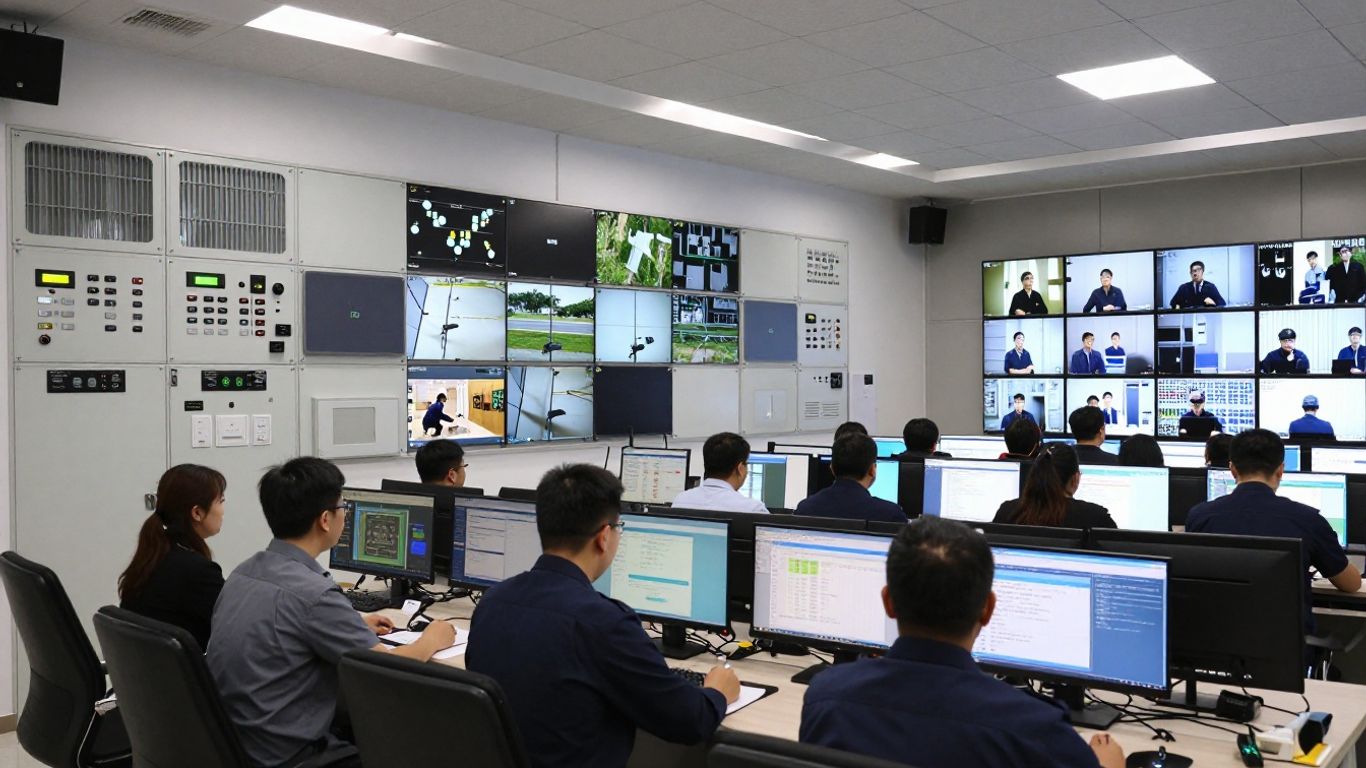
Access control software is designed to determine who may enter a protected area and under what conditions. Door schedules, user permissions, credentials, and event histories are typically managed through an administrative interface, while the physical controller and locking equipment carry out the door-level action. The design should account for normal access, temporary permissions, terminated users, and exceptional situations.
Before selecting a configuration, document every opening and its operating requirements. Interior offices, exterior doors, shared amenities, loading areas, and restricted rooms may need different schedules or approval rules. That inventory prevents a basic door count from hiding meaningful differences in deployment effort.
Mobile credentials can reduce reliance on physical cards, while remote administration can help authorized staff manage users and review activity without being at the facility. The Brivo Access mobile app is described as supporting activity-log monitoring, remote door unlocking, user credential management, and live or recorded video viewing, with mobile video requiring an additional subscription. Those capabilities should be assessed against device policies, identity verification, and administrator controls.
A mobile workflow also introduces operational questions. Decide how phones are enrolled, what happens when a device is lost, how permissions are revoked, and which staff may unlock doors remotely. Convenience is valuable, but it should sit inside a clearly governed process.
Video can add context to access events by allowing a team to review activity around a door, entrance, or other monitored area. Event verification is most effective when camera placement, retention, lighting, bandwidth, and review responsibilities have been planned together. Video should support a defined investigation process rather than create a large volume of footage no one can use.
Organizations should also clarify whether existing cameras can be retained, which video functions require additional licensing, and who can view or export recordings. These details affect both cost and privacy management.
Visitor management helps organizations establish a repeatable process for guests, vendors, contractors, and other people who are not permanent credential holders. The workflow may include registration, host notification, temporary access, arrival records, and departure handling, depending on the selected system and local procedures. Reception and facilities teams should be involved in designing it.
A good visitor process balances security with a reasonable arrival experience. It should define who may approve a guest, how long access lasts, what information is collected, and how records are reviewed later. Those decisions are as much operational as technical.
Reports and audit trails help teams understand access activity, investigate incidents, and demonstrate that administrative actions are being reviewed. Alerts are useful when they are tied to a response plan; otherwise, excessive notifications can make meaningful events easier to miss. Report design should reflect the questions security and operations teams actually ask.
Useful reporting requirements often include user changes, credential status, door activity, administrator actions, and exception events. Retention periods and export permissions should be agreed with security, legal, and privacy stakeholders before launch.
Integration work is where a promising demonstration can become a difficult deployment. The software must coexist with identity sources, cameras, locks, sensors, networks, and operational applications. Compatibility is not just a matter of whether two systems have an integration; it also includes data ownership, event timing, support boundaries, and failure behavior.
Access and video systems can work together when compatible equipment and configuration allow events to be associated with relevant footage. That connection can make investigation more efficient by giving reviewers a common sequence of door activity and visual context. Camera coverage, time synchronization, retention, and permissions still need separate validation.
Ask whether the proposed design supports existing cameras or requires replacement, and confirm which functions are included in the quoted subscription. Test representative events rather than relying only on a feature description.
Identity and HR integrations can reduce duplicate data entry by helping organizations coordinate joiner, mover, and leaver processes. The central design question is which system owns each attribute and how changes are approved. A directory may provide identity data, while security administrators retain responsibility for physical access decisions.
Map the lifecycle before enabling automation. A delayed termination, duplicate record, or incorrect department assignment can create a security issue even when the integration itself is functioning as designed.
Locks, readers, controllers, request-to-exit devices, door contacts, cameras, and sensors each have physical and network requirements. A platform may support a broad range of devices, but the proposed combination must be checked for firmware, wiring, power, environmental conditions, and local code considerations. Existing equipment should be surveyed rather than assumed to be reusable.
The same applies to wireless or smart-lock deployments. Battery life, offline behavior, service access, and emergency operation need to be documented before equipment is ordered.
An API can help connect physical security data with business systems, but the value depends on the exact objects, events, permissions, rate limits, and support model available. Review the documentation with the integration’s intended workflow in mind. A theoretical connection is less useful than a defined exchange of data with clear ownership.
Document who builds and maintains the integration, how credentials are protected, and what happens when the third-party application is unavailable. These details belong in the operating model, not just the project plan.
Network readiness is a prerequisite for cloud-managed security. Review internet paths, segmentation, firewall rules, power, cellular or other backup connectivity, and the location of network equipment. Confirm how doors and devices behave during an outage, and identify which actions require communication with the cloud service.
A site survey should produce a written list of assumptions and exceptions. This gives IT and facilities a shared basis for installation, testing, and future troubleshooting.
Pricing for physical security software is rarely limited to a headline subscription. The total cost can include recurring licenses, door hardware, installation, credentials, video capacity, integrations, network work, training, and ongoing support. Comparing proposals on the same scope is essential, especially when one quote includes services that another leaves to the customer.
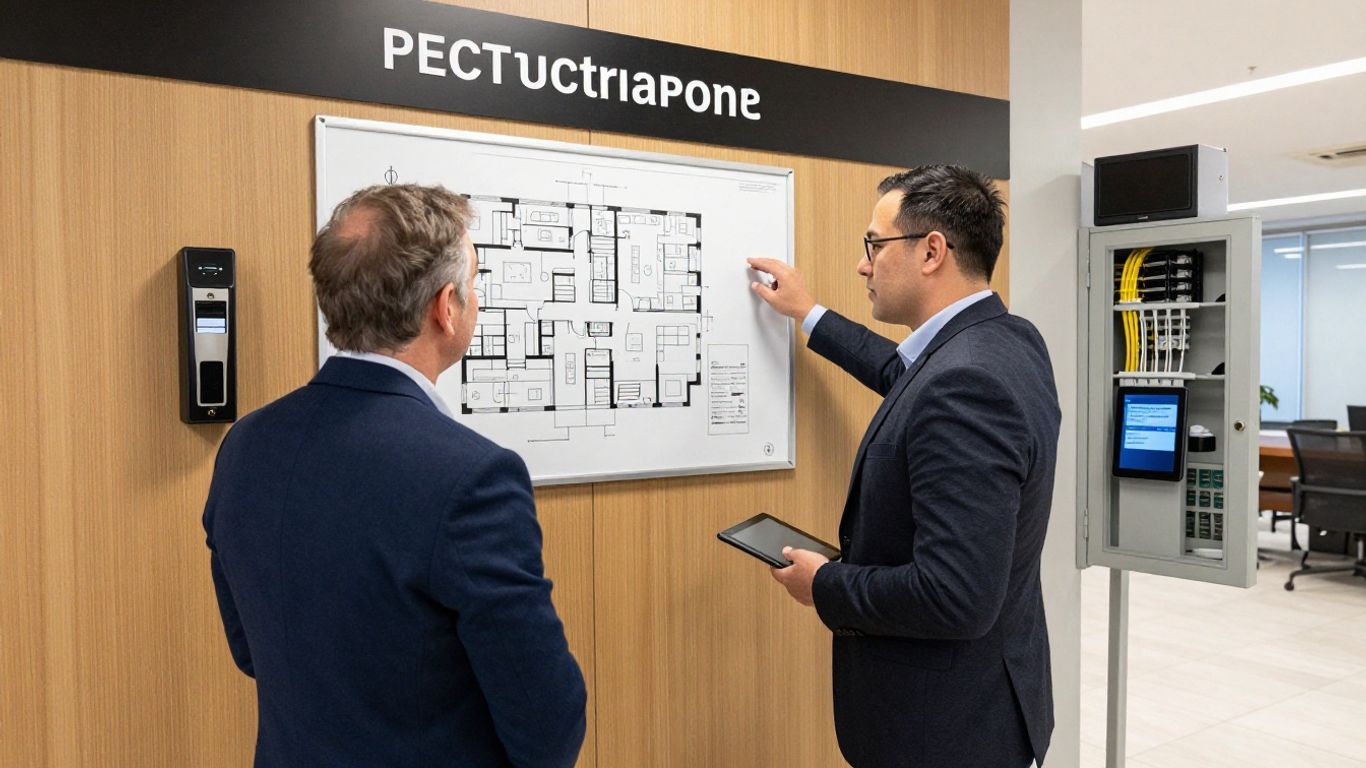
Subscription pricing may vary with the number of doors, users, locations, selected modules, video requirements, and administrative capabilities. Contract term, service level, support arrangements, and renewal terms can also affect the commercial picture. Ask vendors to state assumptions clearly rather than relying on a single per-door figure.
The most useful comparison separates recurring charges from one-time costs. It should also show which functions are included in the base service and which are treated as optional modules.
Readers, controllers, locks, cameras, power supplies, cabling, network equipment, and enclosure work can make up a significant part of the initial investment. Labor varies with site access, door condition, wiring, construction, and the need to work around operating hours. Maintenance may include hardware replacement, inspections, troubleshooting, and future expansion.
A site survey helps turn broad estimates into a more credible budget. It can also reveal whether an apparently simple replacement will require electrical, network, or locksmith work.
Additional licenses may apply to mobile credentials, video features, APIs, storage, visitor workflows, or expanded administrative needs. The commercial terms should identify whether charges are based on doors, users, devices, sites, transactions, or another measure. Renewal increases and changes in included functionality deserve explicit discussion.
Use a five-year view when possible. A low initial price can look different once recurring add-ons, support, credential replacement, and planned site growth are included.
A fair comparison should focus on deployment model, hardware compatibility, integrations, administrative experience, security controls, support, and total cost. Avoid comparing one vendor’s base subscription with another vendor’s fully implemented solution. The best fit may differ for a small single-site deployment, a distributed portfolio, or an organization with substantial existing infrastructure.
Keep the scoring criteria tied to documented requirements. This prevents attractive demonstrations from outweighing practical constraints such as migration effort, network design, or local support.
A pricing conversation is more productive when the buyer supplies a defined scope and asks for comparable assumptions. Request a line-item proposal that distinguishes recurring services, hardware, installation, implementation, training, support, and optional features. Then confirm what changes if the organization adds doors, users, or locations.
The following questions are useful starting points:
The answers should be recorded in the evaluation worksheet, not left to informal sales conversations. That record makes approvals and later scope changes easier to manage.
Physical security software protects more than doors. It also handles identities, activity records, administrative privileges, device connections, and sometimes video. Security review should therefore cover the full service: user accounts, configuration, data handling, monitoring, incident response, and continuity.
Credential security begins with controlled issuance, clear ownership, timely revocation, and appropriate authentication. Devices and controllers also need protection through secure installation, firmware management, restricted network access, and documented maintenance. The organization should know who can create credentials and how emergency access is handled.
Mobile credentials require additional attention to device loss, account recovery, and personal-device policies. These controls should be tested with the same seriousness as the normal entry workflow.
Administrative roles should follow least privilege. Facilities staff may need to manage doors, HR may need to coordinate user status, and security leaders may need reports without receiving every configuration right. Separate roles reduce the chance that one compromised account can change the entire environment.
Review administrator access periodically, especially after staff changes or reorganizations. Strong onboarding and offboarding procedures matter as much as the initial role design.
Logs can support investigations by showing access events, credential changes, and administrative activity. Alerts should be prioritized around events that require action, with clear ownership and escalation paths. Reports are most useful when they are reviewed on a schedule and connected to a documented response process.
A short test of the reporting workflow can reveal gaps that a product demonstration will not. Confirm that the right people can find, interpret, export, and retain the records they need.
Compliance requirements vary by industry, location, contractual obligation, and the type of information being processed. Review data residency, retention, access, privacy, audit, and incident-notification requirements with the organization’s legal and security teams. Do not assume that a certification or vendor statement answers every internal control question.
Create a requirements matrix that maps obligations to system settings, operating procedures, and evidence. This makes the assessment concrete and highlights areas that need compensating controls.
Continuity planning should address cloud-service availability, internet outages, power loss, hardware failure, and the loss of key administrators. Define how doors operate during disruptions, how staff communicate, and how the organization restores normal administration. Backup connectivity and documented emergency procedures may be appropriate depending on the site.
Run practical exercises after deployment. A written plan that has never been tested is unlikely to provide much confidence during a real interruption.
Implementation is a combined technology and change-management project. The team must understand the physical environment, configure the service, migrate or create records, and prepare people to use the new workflows. Clear ownership reduces delays and keeps decisions from being made by assumption.
Begin with a site and door inventory that records hardware, wiring, power, connectivity, schedules, and current permissions. Then map user groups, visitor types, administrator roles, and exception procedures. This baseline becomes the reference point for design and testing.
Include representatives from facilities, IT, security, HR, and reception where their workflows are affected. Their input often uncovers requirements that are invisible in a hardware list.
A phased rollout can reduce operational risk, particularly when multiple buildings or complex integrations are involved. Decide what data will be migrated, what will be recreated, how old credentials will be retired, and when each site changes over. The plan should include rollback considerations and a communications schedule.
Migration quality depends on data quality. Remove duplicates, verify access groups, and confirm that inactive users are not carried into the new environment without review.
Configuration should reflect approved policies rather than personal preferences. Define schedules, access groups, temporary access, visitor rules, administrator roles, alerts, and integration behavior in a controlled sequence. Keep a record of decisions so later troubleshooting does not depend on memory.
Automations deserve particular care because they can make changes at scale. Test normal, exceptional, and revoked-user scenarios before allowing automated updates to affect live doors.
Training should be role-specific. Administrators need hands-on practice with permissions, reports, alerts, and recovery procedures; employees need clear credential and access guidance; visitors need a simple explanation of arrival requirements. Short reference materials can reinforce formal sessions.
Plan support for the first days after launch. Questions are normal when a credential process or visitor routine changes, and quick answers help prevent workarounds.
Testing should cover doors, schedules, credentials, mobile workflows, reporting, integrations, alerts, and failure conditions. Use representative users and sites rather than testing only an ideal configuration. Record each result, assign defects, and repeat tests after corrections.
A final readiness review should confirm technical results, operational ownership, training completion, support contacts, and emergency procedures. The system is ready when people can operate it reliably, not merely when the configuration screen looks complete.
A fit assessment should begin with business and security requirements, then test the proposed platform against the organization’s real environment. Product breadth alone does not determine suitability. The strongest decision includes operational effort, integration dependencies, network readiness, support expectations, and the cost of changing course later.
List the problems the organization is trying to solve before reviewing feature lists. These may include inconsistent access administration, limited visibility across sites, slow visitor processing, difficult investigations, or excessive manual work. Each requirement should have an owner and a way to judge whether the proposed design addresses it.
This keeps the evaluation grounded. A feature is valuable when it improves a defined process without creating an unreasonable burden elsewhere.
Single-site deployments may prioritize simplicity, local support, and a manageable number of administrators. Multi-site organizations usually add concerns around standardization, regional exceptions, central reporting, network differences, and delegated administration. Both models need a clear approach to expansion.
Ask how a new site, door, user group, or administrator would be added. The answer provides a practical test of scalability and operating effort.
A straightforward interface can reduce training and administration time, while deeper customization may be necessary for complex workflows. The right balance depends on who manages the system and how much variation exists between locations. Usability should be tested by actual administrators, not judged only from a polished demonstration.
Include common and uncommon tasks in the test. A system that is easy for daily work but difficult during an incident may still create operational friction.
Potential challenges include network dependency, migration effort, hardware constraints, recurring add-ons, integration maintenance, and the need to change established procedures. None automatically disqualifies a platform, but each should have an owner and mitigation plan. Ask vendors to explain what the system does not cover as well as what it does.
Pilot testing is useful when the environment is complex. It exposes practical issues while the scope is still small enough to adjust.
A useful checklist combines technical, commercial, operational, and support criteria. Score documented evidence rather than general impressions, and keep assumptions visible so stakeholders can challenge them before approval.
The final review should cover requirements, site conditions, integration responsibilities, security controls, implementation approach, recurring costs, training, support, and expansion. HTS can help organizations assess those connected considerations across physical security, IT, networks, and managed technology, with a design that fits the scale of the environment.
Brivo software can be evaluated most effectively as part of a complete physical security operating model. Organizations should connect features and pricing to doors, users, networks, integrations, security controls, implementation effort, and ongoing support. A disciplined assessment creates a clearer path to a system that is manageable today and prepared for the organization’s next stage of growth.
Cloud-based physical security uses hosted software to administer access and related security functions through a network connection. It can simplify centralized management, but organizations still need dependable connectivity, account controls, suitable hardware, and outage procedures.
A budget should account for recurring software, hardware, installation, cabling, network work, credentials, integrations, training, support, maintenance, and future expansion. A multi-year view gives a more realistic picture than an initial subscription quote alone.
Use the same requirements, door counts, user assumptions, integrations, support expectations, and implementation scope for each proposal. Compare both capabilities and total cost, and separate documented facts from assumptions that still require validation.
Cloud-managed systems depend on communication between sites, devices, and hosted services. Network design affects availability, security, troubleshooting, and behavior during outages, so connectivity and backup procedures should be tested before rollout.
Successful implementations combine an accurate site inventory, clean user data, defined roles, tested workflows, trained stakeholders, and clear support ownership. Phased deployment and documented acceptance criteria can reduce operational risk.
Organizations should define enrollment, authentication, device-loss response, revocation, remote unlock permissions, and support procedures. Mobile access should be convenient without bypassing established identity and administrator controls.
Reassess after major changes such as new sites, acquisitions, renovations, identity-system changes, repeated incidents, cost changes, or significant compliance requirements. Regular reviews help ensure that the system still matches the organization’s operating model.
Connect with us to explore our scalable solutions tailored to your unique needs and receive a personalized free quote.